
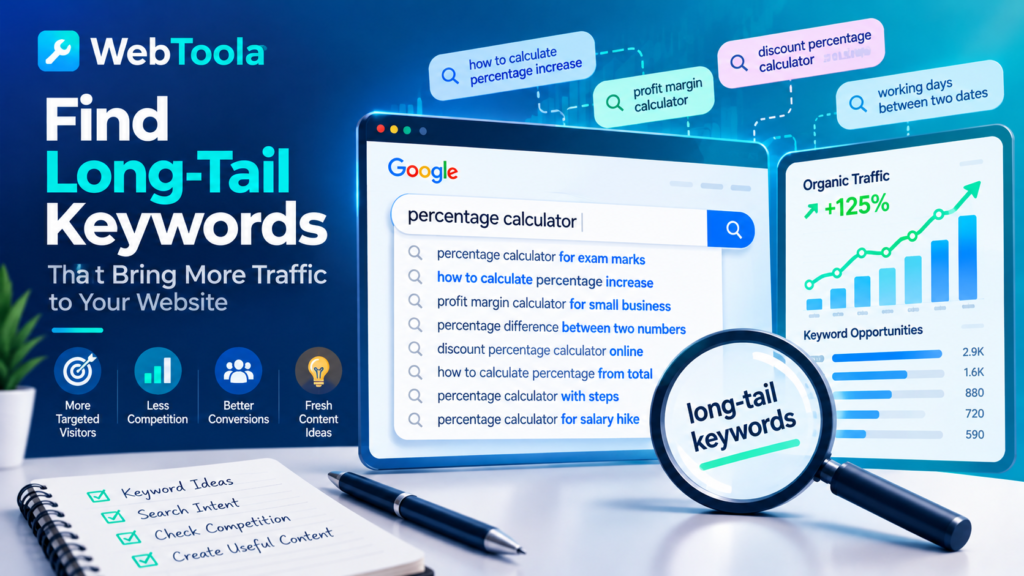
Ever published a great article, waited for Google to notice it, and ended up with barely any visitors?
You’re not alone.
One of the biggest mistakes website owners make is targeting keywords that are simply too competitive. Everyone wants to rank for phrases like “SEO tools,” “weight loss,” or “online calculator.”
But what if you could attract visitors by targeting more specific searches that larger websites sometimes overlook?
That’s where long-tail keywords come in.
And the best part? You don’t necessarily need expensive SEO software or years of experience to find them.
In this guide, we’ll explore how to discover long-tail keywords, evaluate their potential, and use them to attract more relevant visitors to your website.
What Are Long-Tail Keywords?
Long-tail keywords are search queries that individually attract relatively little search traffic compared with popular, broad keywords.
They’re often longer and more specific, although the number of words isn’t what technically makes a keyword “long-tail.”
For example:
| Broad Keyword | More Specific Search Query |
|---|---|
| Calculator | How to calculate percentage increase |
| SEO tools | Free SEO tools for small business websites |
| WordPress | How to speed up a WordPress website without plugins |
| Resume | How to write a resume with no work experience |
| Image converter | How to convert PNG to JPG without losing quality |
The queries in the right column illustrate more specific search intent. Their actual search volumes and competitiveness would need to be checked before classifying them as long-tail opportunities.
Why Are Long-Tail Keywords Important?
Long-tail keywords can offer several advantages:
- More targeted visitors: People searching for something specific often know what they need.
- Potentially less competition: Some niche queries attract fewer competing pages, although this isn’t guaranteed.
- Better conversion opportunities: Specific searches can indicate stronger intent to take action.
- More useful content ideas: They reveal the actual questions and problems people want to solve.
- Broader organic visibility: Many relevant, specific queries can collectively contribute meaningful traffic.
Think about it this way:
Someone searching for “calculator” could be looking for almost anything.
But someone searching for “how to calculate profit margin from selling price” has a much clearer goal.
If your website provides exactly what they need, you’ve got a better chance of satisfying that visitor.
1. Start with Google Autocomplete
One of the easiest ways to discover keyword ideas is hiding in plain sight: Google’s search box.
When you start typing a query, Google may suggest related searches based on factors such as common search patterns and context.
How to use it
- Open Google.
- Type a broad keyword related to your website.
- Pause before pressing Enter.
- Review the autocomplete suggestions.
- Repeat with more specific variations.
For example, try typing:
- percentage calculator for
- how to calculate percentage
- profit margin calculator for
- working days between
These are starting phrases for research, not guaranteed autocomplete suggestions.
You can also try adding different words before or after your main keyword.
Pro tip: Don’t assume every autocomplete suggestion has high search volume. Treat suggestions as ideas that deserve further investigation.
2. Explore Google’s People Also Ask Section
Have you noticed the expandable questions that sometimes appear in Google search results?
That’s the People Also Ask section.
It can be a useful source of topic ideas because it highlights questions related to a search.
Suppose you’re researching the topic “percentage change.”
You might investigate questions such as:
- What is the formula for percentage change?
- How do I calculate percentage increase?
- What’s the difference between percentage change and percentage difference?
- Can percentage change be greater than 100%?
These questions can help you plan useful articles, FAQ sections, or explanations alongside your online tools.
A simple strategy
Choose one main topic and collect five to ten closely related questions.
Then organize them by search intent.
For example, a visitor asking for a formula may want a short explanation, while someone searching for a calculator probably wants an interactive tool.
Important: Don’t create a separate page for every question automatically. Closely related questions are often better answered together on one comprehensive page.
3. Use Google Trends to Discover Growing Interests
Google Trends is a free research tool that helps you explore how search interest changes over time.
It’s particularly useful when you’re deciding between related topics.
Visit https://trends.google.com/ and enter a keyword.
You can explore:
- Search interest over time
- Differences between countries and regions
- Related topics
- Related queries
- Rising searches
For example, you could compare interest in:
- AI writing tools
- AI content generators
- AI productivity tools
This may help you understand which topics are gaining attention in your target market.
However, Google Trends provides normalized search-interest data, not exact monthly search volumes.
A rising trend doesn’t automatically mean a keyword is easy to rank for.
4. Find Keyword Opportunities with Free SEO Tools
You don’t need a large budget to begin keyword research.
Several tools provide free features, limited searches, or accessible research data.
| Tool | What It Helps You Discover |
|---|---|
| Google Keyword Planner | Keyword ideas and approximate search demand |
| Google Trends | Trends, seasonality, and related queries |
| Google Search Console | Queries already bringing impressions and clicks to your website |
| Ahrefs Free Keyword Generator | Keyword suggestions and selected metrics |
| AnswerThePublic | Questions and search phrases related to topics |
| Keyword Surfer | Keyword insights alongside Google results |
Free features and usage limits may change, so check each provider’s current offering.
Which tool should beginners choose?
If your website is already receiving search impressions, start with Google Search Console.
It’s especially valuable because it shows how your own website appears in Google Search.
Look for queries where:
- Your pages receive impressions but few clicks.
- You rank for relevant searches you haven’t addressed directly.
- Your content answers only part of the visitor’s question.
- A page attracts several closely related queries.
These findings can reveal opportunities to improve existing content before creating something new.
5. Analyze Your Competitors’ Long-Tail Keywords
Your competitors can provide excellent clues about what people are searching for.
Suppose you operate a website offering online calculators.
Search Google for a topic such as “profit margin calculator.”
Examine the ranking pages and pay attention to:
- Questions answered in the content
- Examples provided
- Related calculations
- Page headings
- Frequently asked questions
- Missing explanations or features
With specialized SEO platforms, you can also investigate estimated ranking keywords for competing pages.
The keyword gap approach
A keyword gap is a relevant search query for which a competitor ranks but your website does not.
Finding these gaps can help you prioritize content opportunities.
For example, a competitor might have a page explaining the difference between profit margin and markup.
If your website has a profit margin calculator but doesn’t explain that difference, adding a helpful explanation could make the page more useful.
The goal isn’t to copy competitors.
It’s to identify unanswered questions and provide a better experience.
For a deeper walkthrough, read our guide on How to Spy on Your Competitors with SEO Tools.
6. Search Forums and Online Communities
Keyword research isn’t limited to search engines.
Online communities can reveal how people naturally describe their problems.
Useful places to explore include:
- Quora
- Relevant Facebook groups
- Industry discussion forums
- Public product support communities
For example, someone might ask:
“How can I calculate the number of working days between two dates without counting holidays?”
That’s more informative than the broad keyword “date calculator.”
It reveals several important details:
- The visitor needs a date calculation.
- Weekends may need to be excluded.
- Public holidays matter.
- The visitor wants a convenient solution.
You could use this insight to improve a working days calculator or create a helpful guide explaining how the calculation works.
Community discussions are particularly useful for understanding real problems, but individual posts don’t establish search demand on their own.
7. Use the Alphabet Method to Expand Your Keyword List
Here’s a simple technique that requires almost no special tools.
Take your main keyword and combine it with different letters or common modifiers.
For example:
Base keyword: percentage calculator
Try researching:
- percentage calculator a…
- percentage calculator b…
- percentage calculator c…
You can also explore useful modifiers:
| Modifier | Example Search |
|---|---|
| How to | How to calculate percentage increase |
| For | Percentage calculator for exam marks |
| With | Percentage calculator with decimal values |
| Without | Calculate percentage without a calculator |
| Between | Percentage difference between two numbers |
| From | Calculate percentage from total marks |
The purpose isn’t to create dozens of nearly identical articles.
It’s to discover distinct search needs that your content or tools could satisfy.
8. Evaluate Whether a Long-Tail Keyword Is Worth Targeting
Finding keyword ideas is only half the job.
You also need to decide which ones deserve your time.
Consider four factors:
Search Intent
What does the person actually want?
Someone searching for “how to calculate discount percentage” may want instructions.
Someone searching for “discount calculator online” probably wants a working calculator.
Match the page format to the user’s goal.
Search Demand
Does the topic receive enough interest to justify creating content?
A keyword with low individual search volume may still be valuable if it belongs to a larger cluster of related queries.
Competition
Examine the current search results.
Are they dominated by well-established websites with highly useful pages?
Or do you see opportunities to provide clearer, more complete, or more practical information?
SEO difficulty scores can help, but they aren’t guarantees.
Relevance
Most importantly, does the keyword fit your website and audience?
A keyword with thousands of searches isn’t valuable if visitors have no reason to use your website.
A Simple Keyword Evaluation Worksheet
Here’s an example of how to organize your research:
| Keyword Idea | Search Intent | Potential Page |
|---|---|---|
| How to calculate percentage increase | Informational | Guide + calculator |
| Profit margin vs markup | Informational | Comparison article |
| Working days between two dates | Tool-focused | Working days calculator |
| Convert pixels to rem | Tool-focused | px to rem converter |
| How to check JSON formatting | Informational / tool-focused | Tutorial + JSON formatter |
These are illustrative opportunities, not verified search-volume recommendations.
9. Create Content That Actually Deserves to Rank
Once you’ve chosen a promising keyword, it’s time to create the page.
But don’t fall into the trap of repeating the keyword everywhere.
Modern SEO is about helping search engines understand your content while giving visitors a genuinely useful experience.
A practical content structure
For a keyword such as “how to calculate percentage increase,” you could organize the page like this:
H1: How to Calculate Percentage Increase (With Examples)
Introduction: Explain the problem and provide a quick answer.
H2: Percentage Increase Formula
Show the calculation:
Percentage Increase = ((New Value − Original Value) ÷ Original Value) × 100
Note that this formula is undefined when the original value is zero.
H2: Step-by-Step Example
Show a calculation using real numbers.
H2: Calculate Percentage Increase Online
Provide an interactive calculator.
H2: Common Mistakes to Avoid
Explain issues such as reversing the original and new values.
H2: Frequently Asked Questions
Answer closely related questions that genuinely help the reader.
This approach combines useful information with a practical solution.
10. Use Internal Links to Build Topic Connections
Internal linking helps visitors discover related resources and makes it easier for search engines to understand your website’s structure.
For example, an article explaining percentage calculations could link naturally to:
These homepage links are placeholders; replace them with the relevant tool-page URLs before publishing.
Internal links should be descriptive and genuinely useful.
Instead of writing “click here,” use phrases such as “calculate percentage changes instantly” when they accurately describe the linked page.
Don’t add links simply to increase the number of links on a page.
11. Monitor Your Results and Improve Over Time
SEO isn’t an instant process.
After publishing a page, use Google Search Console to monitor its performance.
Pay attention to:
- Impressions: How often your page appears in eligible search results.
- Clicks: How many visitors arrive through Google Search.
- Click-through rate: The percentage of impressions resulting in clicks.
- Average position: An aggregated ranking metric that can vary by query and context.
Look for patterns rather than obsessing over daily fluctuations.
For example, if a page receives impressions for several relevant queries but few clicks, review whether its title and content match what searchers want.
If visitors are finding your page through questions you haven’t fully answered, consider expanding the content.
And if a page already satisfies the search intent, don’t change it merely because a keyword tool suggests adding more words.
Common Long-Tail Keyword Mistakes to Avoid
Before you begin, watch out for these common mistakes:
1. Assuming longer keywords are always easier
A long search phrase can still be highly competitive.
2. Creating one page for every keyword variation
This can produce repetitive pages that compete with one another.
3. Ignoring search intent
A detailed article may not satisfy someone who simply wants an instant calculation.
4. Trusting search-volume estimates blindly
Keyword tools provide estimates, not exact predictions of future traffic.
5. Stuffing keywords into every heading
Use natural language and focus on clarity.
6. Publishing content without checking the results
Review performance and improve pages when evidence suggests a meaningful opportunity.
Final Thoughts: Think Smaller to Grow Bigger
When it comes to SEO, bigger keywords don’t always mean better opportunities.
A broad keyword might attract enormous interest, but it can also involve intense competition and unclear search intent.
Long-tail keywords help you focus on specific questions, problems, and needs.
And that’s where smaller websites can sometimes compete effectively.
Start with one topic. Discover related searches. Understand what visitors need. Then create something genuinely useful.
You don’t need hundreds of pages or an expensive SEO subscription to begin.
You need relevant ideas, helpful content, and the patience to improve over time.
If you’re looking for practical online utilities, explore WebToola for free calculators, converters, and other everyday tools.
Frequently Asked Questions
How many words should a long-tail keyword contain?
There’s no fixed word count. Long-tail keywords are defined by their position in the distribution of search demand, not simply by how many words they contain. Many are longer phrases, but some can be short.
Are long-tail keywords better than short-tail keywords?
Neither is universally better. Long-tail keywords can be useful for targeting specific needs, while broader keywords can reach larger audiences. A balanced strategy often includes both.
Can I find long-tail keywords for free?
Yes. Google Search, Google Trends, Google Search Console, community discussions, and free keyword research features can all help generate ideas.
How many long-tail keywords should I target per article?
Focus on one clear search intent and cover closely related queries naturally. There’s no ideal keyword count. Avoid forcing unrelated topics onto one page.
How long does it take to get traffic from long-tail keywords?
There is no guaranteed timeline. Results depend on indexing, competition, content quality, website authority, and other factors. Some pages gain visibility relatively quickly, while others take months or never achieve significant rankings.
Do long-tail keywords still matter with AI-powered search?
Yes. People still express specific needs through detailed questions, whether using traditional search engines or AI-powered search experiences. Clear, accurate, helpful content remains valuable, although visibility and traffic are never guaranteed.