
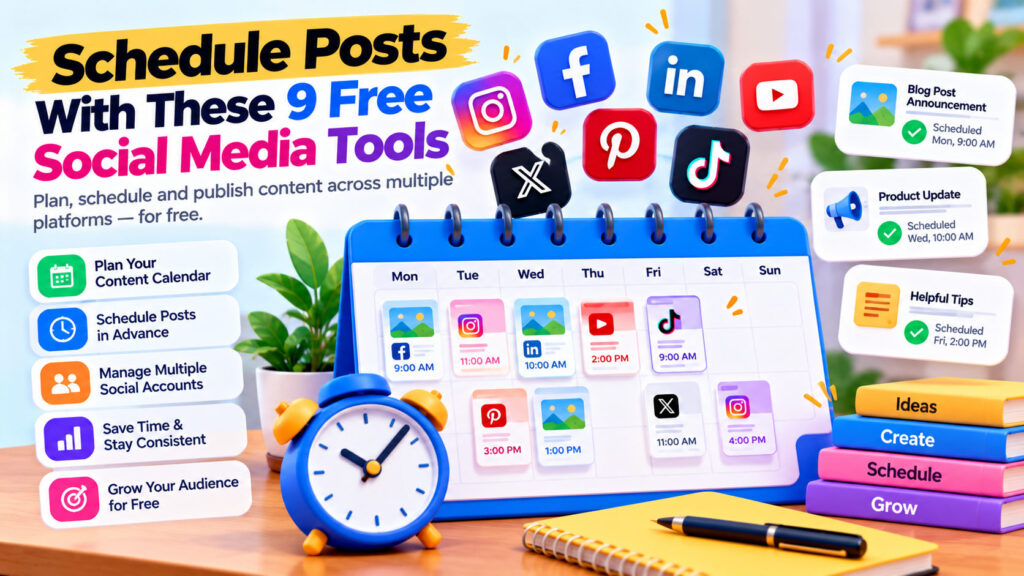
Publishing on social media sounds simple until you’re managing Facebook, Instagram, LinkedIn, Pinterest, and several other platforms at once.
You write a post, find an image, add a caption, choose hashtags, and hit publish.
Then you repeat the process tomorrow.
And the day after that.
Before long, managing social media starts consuming time that could be spent creating content, improving your website, or growing your business.
Fortunately, free social media scheduling tools can make the process easier.
Instead of publishing everything manually, you can prepare content in advance, organize your posting calendar, and schedule updates for future dates.
But which free scheduling tools are worth trying?
In this guide, we’ll explore some of the best options, explain their strengths and limitations, and help you choose a practical solution for your website, business, or personal brand.
What Are Social Media Scheduling Tools?
Social media scheduling tools let you prepare posts in advance and arrange for them to be published at a selected date and time.
Depending on the platform, they may also provide:
- A visual content calendar
- Multi-account management
- Image and video scheduling
- Post previews
- Basic analytics
- Draft management
- Collaboration features
- Content queues
Some tools publish directly to supported networks.
Others may require a mobile notification or manual confirmation for certain post types, especially where platform API restrictions apply.
Why Should You Schedule Social Media Posts?
Scheduling offers several practical advantages.
Save time: Prepare several posts during one working session instead of interrupting your day repeatedly.
Stay consistent: Maintain a publishing routine even when you’re busy.
Plan campaigns: Coordinate product launches, promotions, announcements, and blog updates.
Reduce mistakes: Review captions, links, and images before publication.
Reach different audiences: Schedule content for the times your followers are more likely to be active.
However, scheduling isn’t a substitute for engagement. You still need to respond to comments, questions, and messages.
1. Buffer — Best for Simple Social Media Scheduling
Website: https://buffer.com/
Buffer is one of the most approachable social media scheduling platforms.
Its clean interface makes it suitable for beginners who want to organize posts without learning a complicated marketing system.
Key features
- Post scheduling
- Content calendar
- Draft creation
- Support for multiple social platforms
- Basic publishing workflow
- Additional analytics and collaboration features on paid plans
What does the free plan offer?
Buffer’s free plan has traditionally supported a small number of connected channels and a limited queue of scheduled posts per channel.
The exact limits and supported features can change, so check the current pricing page before setting up your workflow.
Who should use Buffer?
Buffer is a good fit for bloggers, freelancers, solo entrepreneurs, and small businesses.
For example, if you publish two blog articles every week, you can prepare social media announcements in advance and distribute them over several days.
Best for: Beginners who want straightforward scheduling.
Verdict: One of the first tools worth evaluating if simplicity is your priority.
2. Meta Business Suite — Best for Facebook and Instagram
Website: https://business.facebook.com/
If you primarily publish on Facebook and Instagram, Meta Business Suite is an obvious starting point.
It’s Meta’s own business management platform and includes scheduling functionality for supported Facebook Pages and Instagram professional accounts.
Key features
- Facebook and Instagram post scheduling
- Content calendar and planner
- Reel and story publishing options, subject to account and format support
- Basic performance insights
- Inbox and engagement management
- Page and account management
Why it’s useful
You don’t necessarily need a third-party subscription to manage content across Meta’s own platforms.
For example, a small online store could prepare product announcements, promotions, and educational posts in advance.
Things to consider
You’ll need appropriate access to the Facebook Page and connected Instagram account.
Some publishing formats or features may differ by account type, region, or device.
Best for: Businesses focused on Facebook and Instagram.
Verdict: A strong free option for Meta-owned social networks.
3. Metricool — Best for Scheduling and Basic Analytics
Website: https://metricool.com/
Metricool combines social media scheduling with performance reporting and other marketing features.
This makes it attractive to people who want more than a basic publishing calendar.
Key features
- Social media planner
- Scheduled publishing
- Performance analytics
- Content calendar
- Competitor and reporting features, depending on plan
- Management of supported social accounts
Free plan considerations
Metricool offers a free plan with restrictions on connected brands, publishing volume, and available features.
Some social networks and advanced functionality may require a paid subscription.
Who should use Metricool?
Metricool is useful for content creators and small businesses that want to compare posting activity with audience performance.
For example, you might review whether educational posts receive more engagement than promotional announcements.
Best for: Users who want scheduling plus basic analytics.
Verdict: A useful option when you want a more analytical approach to social publishing.
4. Publer — Best for Content Queues and Post Planning
Website: https://publer.com/
Publer is a social media management platform designed around scheduling, content organization, and publishing workflows.
Key features
- Social media post scheduling
- Calendar-based planning
- Draft management
- Content queues
- Post previews
- Additional automation and collaboration features on paid plans
Free plan considerations
Publer has offered a limited free plan for managing a small number of social accounts.
Restrictions may apply to post volume, scheduling features, and supported platforms.
Why it’s useful
Publer can help organize a mixture of educational, promotional, and evergreen content.
For example, a freelancer could prepare portfolio updates, helpful tips, and service announcements for the coming weeks.
Best for: Solo creators who want structured publishing workflows.
Verdict: Worth comparing with Buffer if you prefer more content organization options.
5. Later — Best for Visual Content Planning
Website: https://later.com/
Later is particularly associated with visual content planning and social media marketing.
Its scheduling and calendar features can help creators organize image-heavy campaigns.
Key features
- Visual content planning
- Social media calendar
- Post scheduling
- Media organization
- Analytics and additional marketing features on eligible plans
Is Later free?
Later’s free access and trial offerings have changed over time.
It should not be assumed to provide a permanent free scheduling plan without checking its current pricing and eligibility.
For this reason, consider Later a tool to evaluate rather than a guaranteed no-cost solution.
Who should use Later?
Later may be useful for brands whose content depends heavily on images, product photography, and visual storytelling.
Best for: Visual-first content teams and creators.
Verdict: Attractive for visual planning, but confirm the current cost before choosing it as your primary scheduler.
6. Pinterest’s Native Scheduler — Best for Pinterest Content
Website: https://www.pinterest.com/
If Pinterest is an important source of traffic for your blog or business, its native scheduling functionality may be sufficient.
Pinterest business accounts can schedule eligible Pins directly through Pinterest’s own interface, subject to current limits.
Key features
- Native Pin scheduling
- Pin titles and descriptions
- Destination links
- Board selection
- Pinterest analytics for eligible business accounts
Why it’s useful
Pinterest can be relevant for websites publishing visual tutorials, guides, educational resources, and evergreen content.
For example, a blog article about useful online calculators could be promoted with a well-designed Pin linking to the original post.
Limitations
Native scheduling is specific to Pinterest.
It won’t replace a multi-platform social media management tool.
Best for: Bloggers and businesses using Pinterest to distribute visual content.
Verdict: A practical free option if Pinterest is one of your main channels.
7. YouTube Studio — Best for Scheduling Videos
Website: https://studio.youtube.com/
YouTube Studio includes built-in scheduling for video publication.
You can upload a video, prepare its details, and select when it should become public.
Key features
- Scheduled video publishing
- Video titles and descriptions
- Thumbnail management
- Audience settings
- Video analytics
- Channel management
How it works
- Upload your video through YouTube Studio.
- Add a descriptive title and description.
- Choose the appropriate visibility settings.
- Select the scheduling option.
- Set your publication date and time.
Why it’s useful
YouTube’s native scheduling means creators don’t need a separate paid platform simply to schedule regular videos.
Best for: YouTube creators and businesses publishing video tutorials.
Verdict: An excellent built-in solution for YouTube publishing.
8. LinkedIn’s Native Scheduler — Best for Professional Content
Website: https://www.linkedin.com/
LinkedIn provides native scheduling for supported posts.
This is particularly useful for professionals, consultants, freelancers, and business owners who use LinkedIn to share expertise.
Key features
- Schedule supported posts
- Prepare professional updates in advance
- Publish educational and business content
- Manage scheduled posts through supported interfaces
Practical example
A software developer might plan a weekly series covering technical tips, lessons learned, and project insights.
Rather than writing every post at the last minute, they can prepare several updates and schedule them throughout the week.
Limitations
Not every content format or account workflow necessarily supports identical scheduling features.
Check the current options available in your LinkedIn composer.
Best for: Professionals and businesses focused on LinkedIn.
Verdict: A convenient free option for professional social publishing.
9. TikTok Studio — Best for TikTok Video Publishing
Website: https://www.tiktok.com/tiktokstudio
TikTok provides creator tools for managing and publishing video content, including scheduling capabilities in supported workflows.
Key features
- Video uploads
- Scheduling where available
- Creator analytics
- Content management
- Audience performance insights
Why it’s useful
Creators who publish regularly can prepare videos in advance and organize their publishing routine.
Things to consider
Scheduling availability may depend on the interface, account eligibility, region, and video format.
Confirm the available publishing options for your account.
Best for: TikTok creators who prefer native platform tools.
Verdict: Worth using before paying for an external TikTok scheduler.
Quick Comparison: Free Social Media Scheduling Tools
| Tool | Best For | Free Access |
|---|---|---|
| Buffer | Simple multi-platform scheduling | Limited free plan |
| Meta Business Suite | Facebook and Instagram | Free |
| Metricool | Scheduling and analytics | Limited free plan |
| Publer | Queues and content planning | Limited free plan |
| Later | Visual content planning | Verify current plans/trials |
| Pinterest Scheduler | Pinterest Pins | Free native feature |
| YouTube Studio | YouTube videos | Free |
| LinkedIn Scheduler | Professional posts | Free native feature |
| TikTok Studio | TikTok publishing | Free native tools; eligibility varies |
Free-plan limits and platform support change frequently. Always review the provider’s latest documentation.
How to Schedule a Week of Social Media Content in One Hour
You don’t need an elaborate marketing strategy to start scheduling.
Here’s a simple workflow.
Step 1: Choose your platforms
Start with one or two social networks where your audience is active.
Managing every platform at once can become unnecessarily time-consuming.
Step 2: Select your content topics
Choose a few themes related to your website or business.
For example:
- Educational tips
- Product or service highlights
- Blog article announcements
- Behind-the-scenes updates
- Questions and discussions
Step 3: Create your posts in batches
Write several captions during one session.
Prepare images and links together to reduce repeated work.
Step 4: Adapt each post to its platform
Avoid copying exactly the same text everywhere.
LinkedIn may benefit from a professional explanation, while Instagram might need a more visual approach.
Step 5: Schedule your content
Use your chosen tool to arrange publication dates and times.
Avoid overloading your audience with too many posts at once.
Step 6: Review scheduled posts
Check that images, links, captions, and dates are correct.
Step 7: Monitor engagement
After publication, review responses and interact with your audience.
Scheduling handles publication, not relationships.
Example: A Simple Weekly Social Media Calendar
| Day | Content Idea | Suggested Platform |
|---|---|---|
| Monday | Helpful tip or tutorial | LinkedIn, Facebook |
| Tuesday | Visual infographic | Instagram, Pinterest |
| Wednesday | Blog article announcement | Facebook, LinkedIn |
| Thursday | Short educational video | TikTok, YouTube |
| Friday | Product or service highlight | Facebook, Instagram |
| Saturday | Audience question or discussion | LinkedIn, Facebook |
| Sunday | Review results and plan next week | Internal planning |
This is an example, not a mandatory posting schedule.
Your ideal frequency depends on your audience, resources, and content quality.
How to Promote Your Blog Using Social Media Scheduling
If you run a WordPress website, scheduling tools can support a simple content distribution strategy.
Imagine you publish an article about technical SEO tools.
Instead of sharing the link once and forgetting about it, you could create several useful social posts:
Post 1: Introduce the article and explain what readers will learn.
Post 2: Share a practical tip from the article.
Post 3: Publish an infographic summarizing key ideas.
Post 4: Ask your audience a question related to the topic.
Post 5: Share a follow-up example or common mistake.
Each post should provide its own value rather than repeatedly publishing an identical promotional message.
For a utility website, you can apply the same approach to calculators, converters, and other tools.
A percentage calculator, for example, could be promoted through a discount calculation example, a simple tutorial, or a business-related tip.
Common Social Media Scheduling Mistakes
1. Publishing identical content everywhere
Different platforms have different audiences and formats.
Adapt your message appropriately.
2. Scheduling too many posts
More posts don’t automatically mean more engagement.
Focus on useful, relevant content.
3. Ignoring comments and messages
Automation should free up time for engagement, not eliminate it.
4. Using only promotional content
A constant stream of advertisements can discourage followers.
Balance promotions with helpful information.
5. Forgetting to check links
Broken links and incorrect landing pages create a poor visitor experience.
6. Assuming scheduled posts always publish successfully
Account permissions, platform restrictions, expired connections, or technical issues can interrupt publication.
Review your publishing history periodically.
7. Choosing a tool based only on the number of features
The best tool is one you can use consistently without unnecessary complexity.
Which Free Social Media Scheduler Should You Choose?
The answer depends on your needs.
For beginners: Start by evaluating Buffer.
For Facebook and Instagram: Use Meta Business Suite.
For scheduling plus analytics: Compare Metricool.
For structured post queues: Explore Publer.
For Pinterest: Try Pinterest’s native scheduling features.
For YouTube: Use YouTube Studio.
For professional networking: Use LinkedIn’s built-in scheduler.
For TikTok: Check TikTok Studio’s scheduling options.
If you only publish on one or two networks, native scheduling may be all you need.
Final Thoughts: Work Smarter, Not Harder
Social media scheduling isn’t about turning your accounts into automated advertising machines.
It’s about organizing your content so you can publish consistently without spending every day preparing posts from scratch.
Free tools can help you plan content, reduce repetitive work, and maintain a more reliable publishing routine.
The important thing is to choose a tool that matches your actual needs.
Start small, prepare useful posts, monitor your results, and adjust your approach over time.
Consistency matters, but quality and genuine audience engagement matter more.
And if you’re creating content for your website or business, explore WebToola for free online calculators, converters, developer tools, and everyday utilities.
Frequently Asked Questions
What is the best free social media scheduling tool?
Buffer, Meta Business Suite, Metricool, and Publer are useful options to evaluate. The best choice depends on your platforms, account limits, and required features.
Can I schedule social media posts for free?
Yes. Several social networks provide built-in scheduling, and some third-party tools offer limited free plans.
Can I schedule Facebook and Instagram posts without paying?
Meta Business Suite supports free scheduling for eligible Facebook Pages and Instagram professional accounts.
Is Buffer completely free?
Buffer offers a limited free plan. Additional channels, larger publishing queues, and advanced features may require payment.
Can I schedule LinkedIn posts?
Yes. LinkedIn supports native scheduling for eligible post types and account workflows.
Can I schedule Instagram Reels?
Scheduling is available through supported Instagram and Meta publishing workflows, although eligibility and supported features can vary.
Do scheduling tools reduce social media reach?
Using a scheduling tool doesn’t automatically mean your content will receive less reach. Performance depends on factors such as relevance, audience interest, content quality, and platform behavior.
How far in advance should I schedule posts?
Planning one or two weeks ahead is a manageable starting point for many small businesses and bloggers. Keep room for timely updates.
Should I post at the same time every day?
Not necessarily. Test different times and review your audience insights rather than relying on a universal best posting time.
Are free social media scheduling tools safe?
Established services generally use supported authorization methods, but you should still review requested permissions, account security, and privacy practices. Avoid services that ask you to share your social media password directly.